Every application has a .env file: database passwords, API keys, SMTP passwords, OAuth secrets. With thirteen applications and three servers that is over fifty such files. The question is where they live, so that a lost server or a lost laptop is not a disaster, and so that I never commit a password by mistake.
This is the second post of the series about the infra repo. Here is the answer I chose: the secrets are in git, encrypted, with SOPS and age.
How it was before
Honestly: a .env.prod in each application’s private repo, sometimes inside the Docker image too. It works until you have to change a password and wonder which of the six places it is in. And until a GitHub token, copied into every application’s Dockerfile years ago, is left sitting in git history. Private repo or not, history is never deleted.
I looked at vault services too. Google Secret Manager was out on principle (nothing that works only on Google). HashiCorp Vault or Infisical are one more service to install, protect, update and back up, in order to keep fifty small files. Too much to look after for something so simple.
What SOPS does
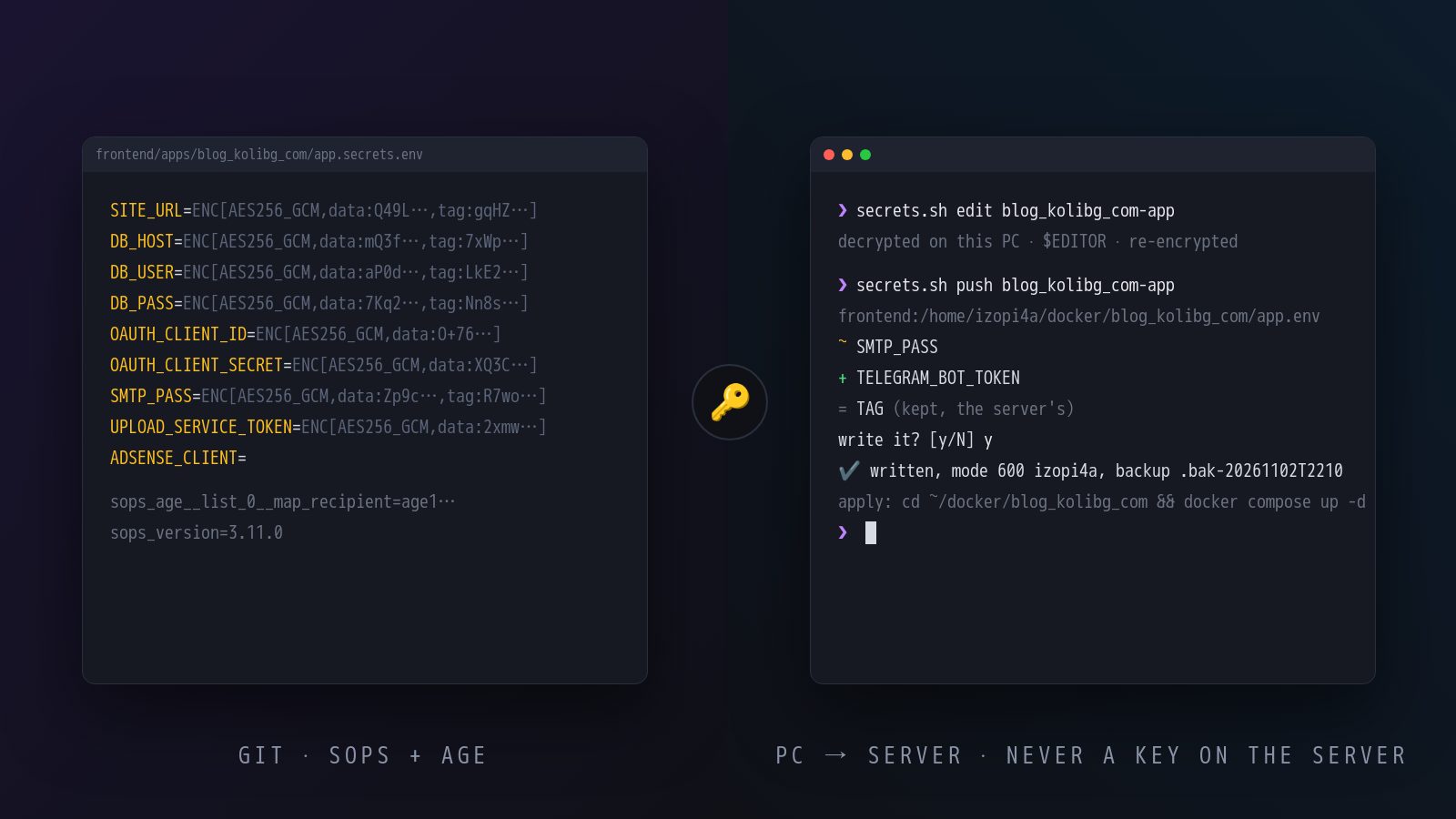
SOPS encrypts the values in the file, not the whole file. A .env in the repo looks like this:
DB_HOST=ENC[AES256_GCM,data:mQ3f…,iv:…,tag:…,type:str]
DB_PASS=ENC[AES256_GCM,data:7Kq2…,iv:…,tag:…,type:str]
SMTP_PASS=ENC[AES256_GCM,data:Zp9c…,iv:…,tag:…,type:str]
ADSENSE_CLIENT=
The names are readable, the values are not. git diff shows which key changed without showing to what. (An empty value stays empty: you can also see what is not filled in yet.)
Each file has its own data key, wrapped for every recipient in .sops.yaml. The recipients are age keys: age is a small, modern encryption tool, no GPG, no keyrings, one command makes a key. One rule in .sops.yaml says which files are secret and who can read them:
creation_rules:
  - path_regex: (^|/)((app\.)?secrets\.env|secrets/[^/]+)$
    age: age1…, age1…, age1…
The rules
The tool is a five-hundred-line bash script, secrets.sh, with as many lines of tests (throw-away keys, a fake server). The rules it enforces matter more than the code:
- The servers never get a key. Decryption happens only on my computer. One command decrypts one file and sends it over SSH to its server, mode 600, with the right owner. A compromised server sees its own secrets (it needs them), not the others'.
- Nothing prints a value.
diffshows key names and+ - ~; for binary files only “same” / “different”. There is no way for a password to land in a terminal, a log or the shell history. - An unencrypted
.envcannot be committed. A git hook checks every staged file named*.envor inside asecrets/folder; CI checks the same in case someone skipped the hook. Five minutes of work, and the dumbest mistake is gone for good. - One thing stays on the server:
TAG, the image version the deploy changes. The repo does not keep it,pushdoes not touch it.
Which secret lives where is one table: name, file in the repo, server, path, owner, format, and the command that applies a change:
blog_kolibg_com-app frontend/apps/blog_kolibg_com/app.secrets.env root@188.… /home/izopi4a/docker/blog_kolibg_com/app.env izopi4a dotenv - cd … && docker compose up -d
Day to day
Changing a password:
scripts/secrets.sh edit blog_kolibg_com-app   # opens the decrypted file in the editor
scripts/secrets.sh push blog_kolibg_com-app   # shows ~ SMTP_PASS, asks y/N, writes to the server
ssh … 'cd ~/docker/blog_kolibg_com && docker compose up -d'
git commit -am "Secrets: blog, new SMTP password"
push never assumes the repo and the server are in sync: it shows what will change before writing, and keeps the old version next to the file. If someone edited the file by hand on the server, diff shows it and pull -f takes it into the repo.
A new computer: one script clones every repo, makes an age key, adds it to the recipients with the recovery key, and writes every dev .env file. Half an hour, instead of half a day digging through old laptops.
The web UI
The terminal is fine for changing one password. For “what is in this app’s secrets” and “what is not committed yet” I wanted a page. So there is also a small local web program, written with an AI (Go, about a thousand lines) that starts with one command and opens the browser:
scripts/secrets-ui.sh
On the left every config from the table, grouped by app, with a dot next to the ones changed and not committed. On the right the keys, values hidden: Show (masked again after 30 seconds), Copy, Edit, Add, Delete. Every change is saved encrypted in the repo at once. The buttons Compare with server, Push, Pull and Commit call the same bash script underneath, so the push and pull logic exists once. There is also Test recovery key: paste it from the password manager, the program checks that it alone decrypts every file, and forgets it.
It also has one quirk that looks like a bug the first time: the page does not reload. Press F5 and instead of it you see “open the link that the script printed”. Not a bug, but on purpose. The program listens on 127.0.0.1 only, and the link it prints carries a random token. The page reads it, removes it from the address bar at once and keeps it only in memory, sending it as a header with every request. So the token never sits in the browser history, in a bookmark or on a screenshot, and another site open in the same browser cannot call anything in the API, because it has no token. The price is that a refresh is a new session: Ctrl+C in the terminal, the command again, a new link, a new token. For something that shows passwords, that trade seems right to me.
A lost laptop
This is the part most people skip. The recipients are my computers’ keys plus one recovery key that lives only in the password manager (generated in the terminal, never written to disk). If my computer disappears: I remove its line from .sops.yaml and run two commands, not one. updatekeys re-wraps the existing data key for the new list, but the lost laptop can still unwrap it from any old version in git. Hence rotate too: a new data key for every file. After both, new versions are unreadable to it.
The old versions in history stay readable with the lost key. That is not fixed with cryptography but with rotation: new database passwords, new API keys, new OAuth secrets. Boring, but it is a list, and the list is in the repo.
The keys that are never rotated
Not everything among the secrets is a password. Some keys encrypt data: the key for one service’s attachments, the key for another’s documents, the GPG key the APT repository is signed with, an Android app’s keystore. A new key there is not “a password change” but the loss of everything old. Those are in the repo precisely so they cannot get lost, and are explicitly left out of every rotation. If one ever has to change, that is a migration in the application, not a push.
What I got
A history of every secret (git log on the file). An answer to “where is the password”: always one. Certainty that the file on the server is exactly the one in the repo (diff). A new computer in minutes. And zero secrets in the applications’ repos: they only read their environment.
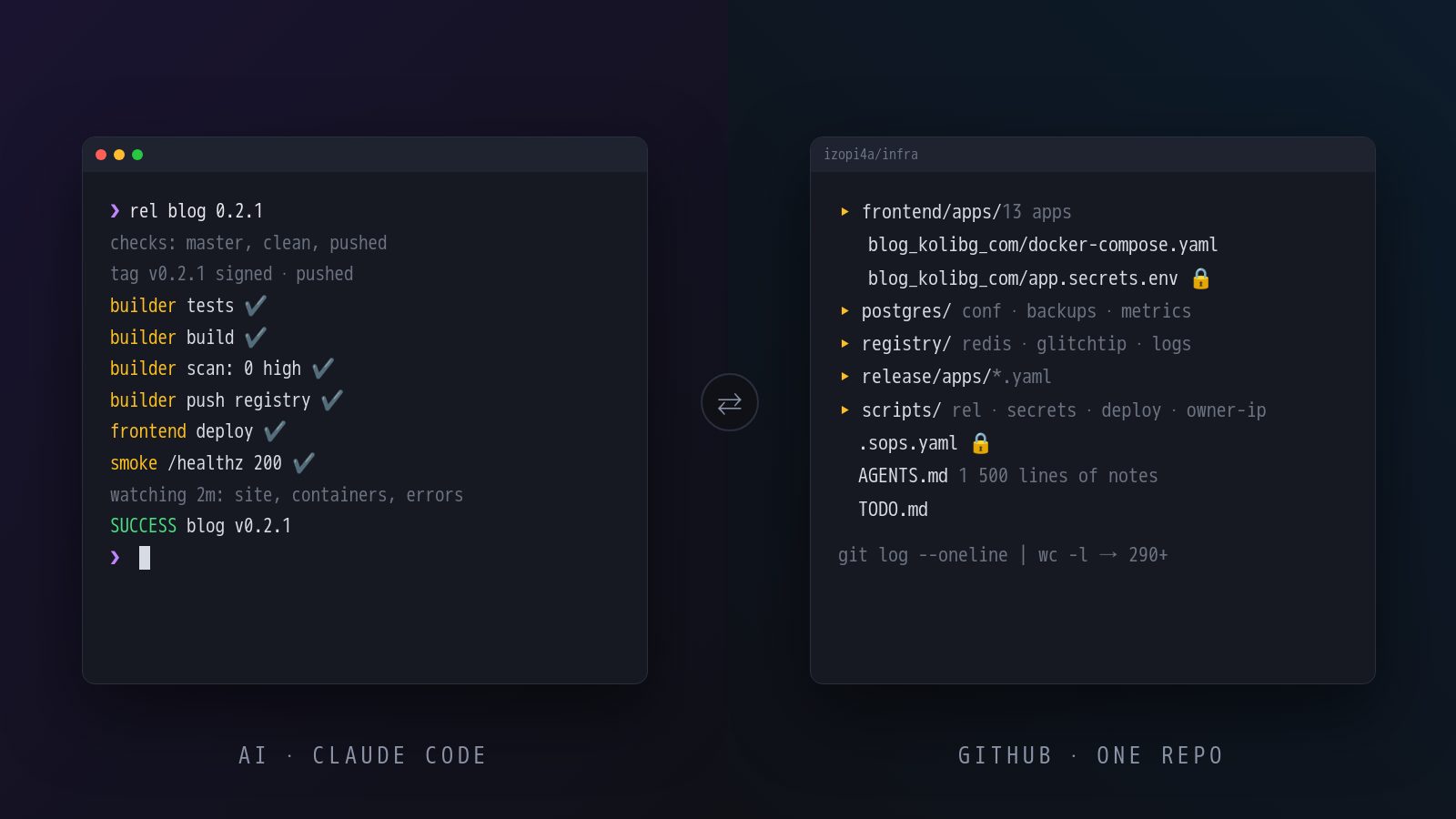
The whole tool was written by an AI in one evening, tests included, along with the migration of every file by name. My part was to state the rules above and to check that the script really never prints a value. That last one I checked twice.
Next post: the infrastructure itself, server by server.
Comments